
Maintenance\Customer File\Edit a Customer Record
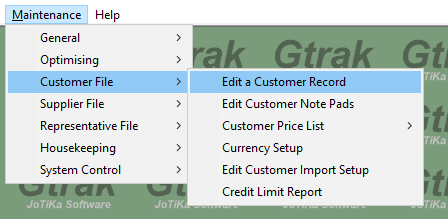
In the list of customers on screen, Select the Customer you wish to Copy the Price FROM
Click the “Export Lists” button at the bottom of the screen 
In the Pop-up, use the magnify glass to select the Customer you wish to copy the Price List TO 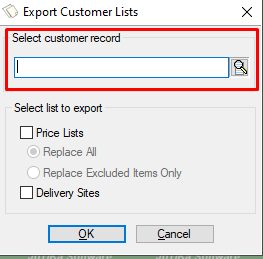
‘Tick’ the Price Lists option and Replace All in the pop-up
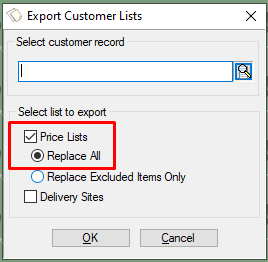
Click ‘OK’
Click ‘Yes’ on the next pop-up to confirm you want to export the price list to an existing customer
A final pop-up will appear to confirm the Customer Details Copied
Click ‘OK’
Now the prices have been copied to the selected customer ready for use
Comments
0 comments
Article is closed for comments.